
Microsoft 365 is the backbone of your organisation's productivity and collaboration. While its native features are robust, integrating it with other tools can unlock even greater efficiency and streamlined workflows. Whether you're looking to automate tasks, synchronise data, or create custom solutions, our expert team specialises in enhancing Microsoft 365’s capabilities to drive your business forward.


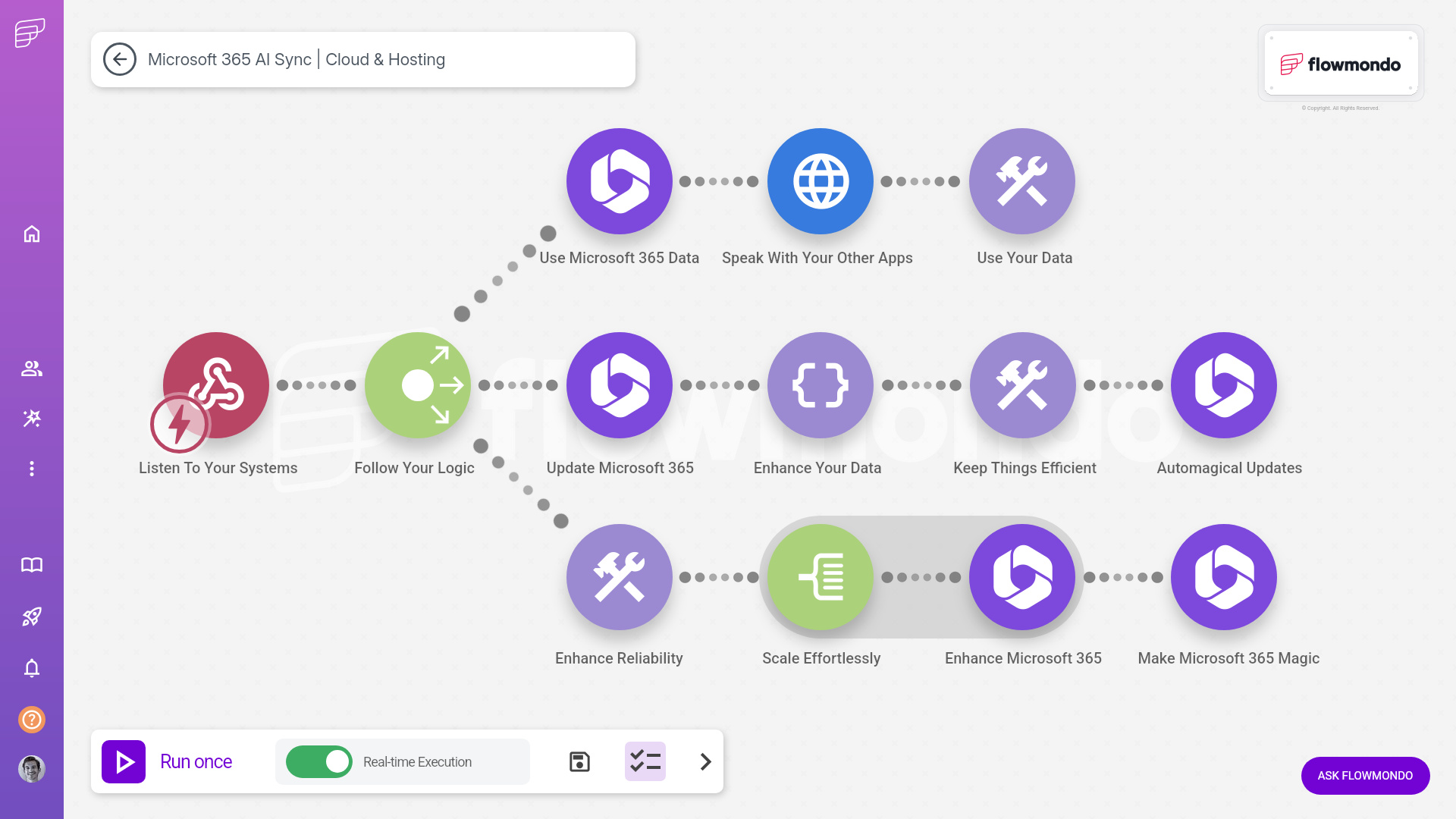



At flowmondo, we leverage Microsoft 365's native integration features and extend them with powerful automation workflows using Zapier and Make.com. Our team can build bespoke API integrations tailored to your unique requirements, ensuring seamless data flow and enhanced productivity across your entire tech stack. Whether you need to streamline communication, automate routine tasks, or connect Microsoft 365 with specialised applications, we provide end-to-end solutions that go beyond standard integrations to meet your business objectives.






















































Many providers jump straight to technical solutions without learning how your team actually operates day-to-day.
Getting caught up in bells and whistles rather than solving the core problems that impact your bottom line.
Cookie-cutter solutions that ignore whether you need a quick fix or a comprehensive transformation of your systems.
Leaving critical automation gaps that continue to waste your team's time and create frustration.
From discovery call to implementation in days, not months.
Book a call
It all starts with a quick and friendly conversation.
Speak with experts
On the call you'll speak with one of our certified automation experts who will analyse your challenges and craft a personalised roadmap.
It's go time
Deploy your automation solution with hands-on guidance and ongoing support to ensure smooth adoption and measurable results for your team.
Areas of Expertise
With best-in-class tools in pragmatic and experienced hands, we build and optimise your solution faster than most could scope it.

Unify Your Software
Sync your software to eliminate silos and boost productivity. Seamless integrations deliver real-time data flow, streamlined workflows, and scalable solutions, freeing you from manual workarounds and enhancing decision-making.

Banish Busywork
Automate repetitive tasks to save time and reduce errors. Scalable workflows across all of your tools, streamlining operations and empowering your team to focus on high-value work with effortless efficiency.

Harness AI Power
Embed AI into your workflows for sharper decisions and exponential output. Systematic AI integration delivers consistent, scalable results, enhancing productivity whilst centralising governance and optimisation efforts.

Master your data
Centralise, clean and enrich your data to fuel your people, automations and AI agent force. Scalable data strategies ensure secure, real-time access, integrating with your systems to drive smarter decisions and operational clarity.

Build custom apps faster
Create custom tools without coding, replacing spreadsheets with scalable apps. Rapid, flexible and scalable solutions integrate with your tech stack, streamline processes and accelerating productivity with ease.

Streamline Your Docs
Automate document creation and extraction. Generate custom docs and extract data from scans, cutting admin time, boosting accuracy, and integrating doc flows with your systems for seamless output.

Streamline Your Docs
Automate document creation and extraction. Generate custom docs and extract data from scans, cutting admin time, boosting accuracy, and integrating doc flows with your systems for seamless output.



Automated Workflow Processes
Seamless Data Synchronisation
Custom API Integrations
Enhanced Collaboration Tools
Advanced Reporting and Analytics
Frequently asked questions
Everything you need to know about Zapier.
Still have questions?
Speak with one of our Zapier experts.
